Onboarding Tour
The onboarding feature is designed to guide you through parts of Lystaria that are not immediately visible when you first begin using the app. Many important tools and pages are intentionally placed inside header icons across different tabs, which keeps the interface clean but can make certain features easy to overlook. Without guidance, it is possible to use the app without ever discovering everything it offers.
This system highlights those hidden areas and shows you exactly where to tap in a step-by-step flow. It removes the need to guess or search through the interface and instead gives you a clear path to follow. Over time, this helps you build a natural understanding of where everything lives so navigation becomes intuitive.
How to start the onboarding tour
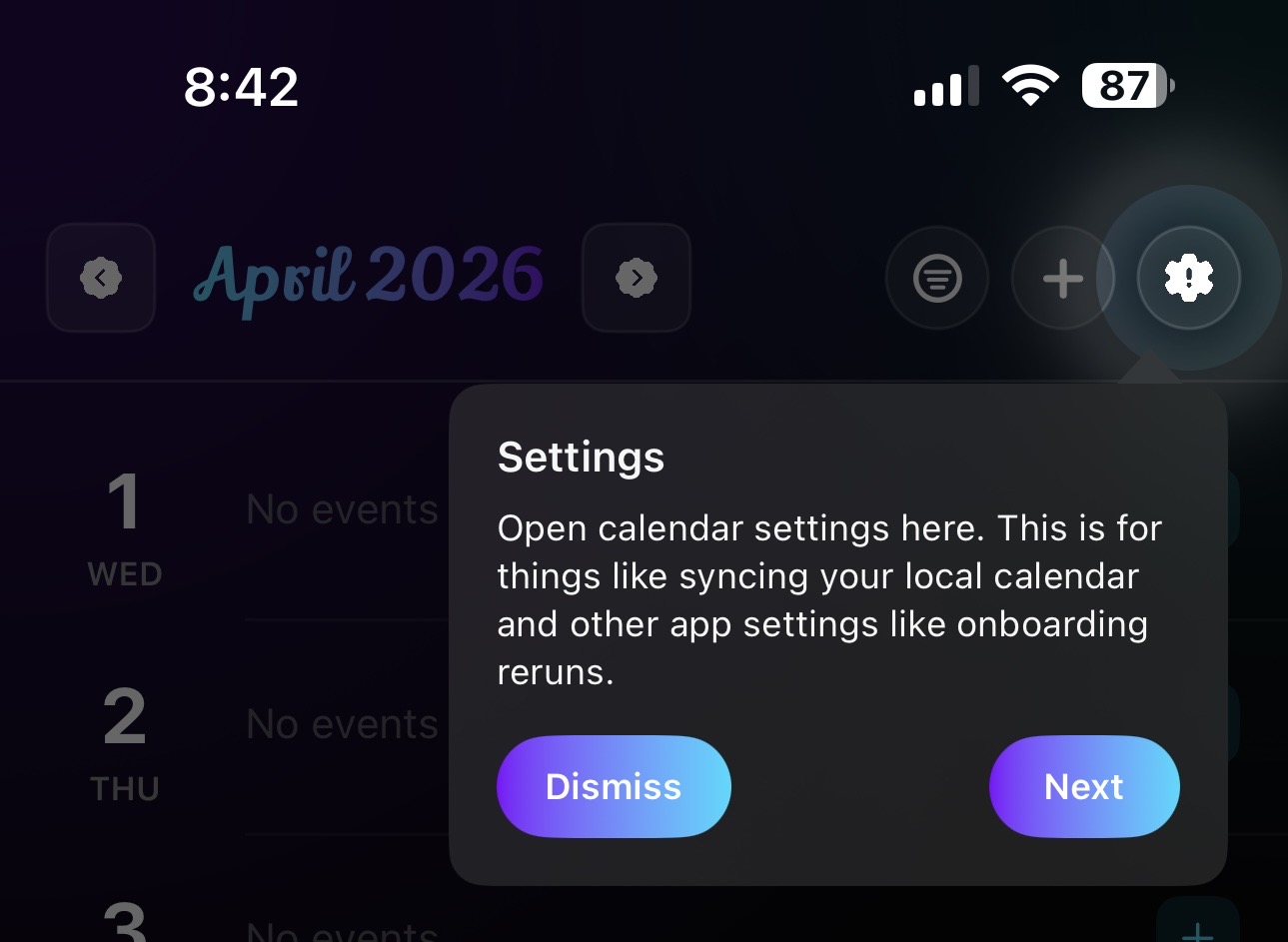
To begin the onboarding tour, go to the Event tab using the bottom navigation bar. From there, look to the top right corner of the header, where you will find the settings icon. This is where the onboarding entry point is located.
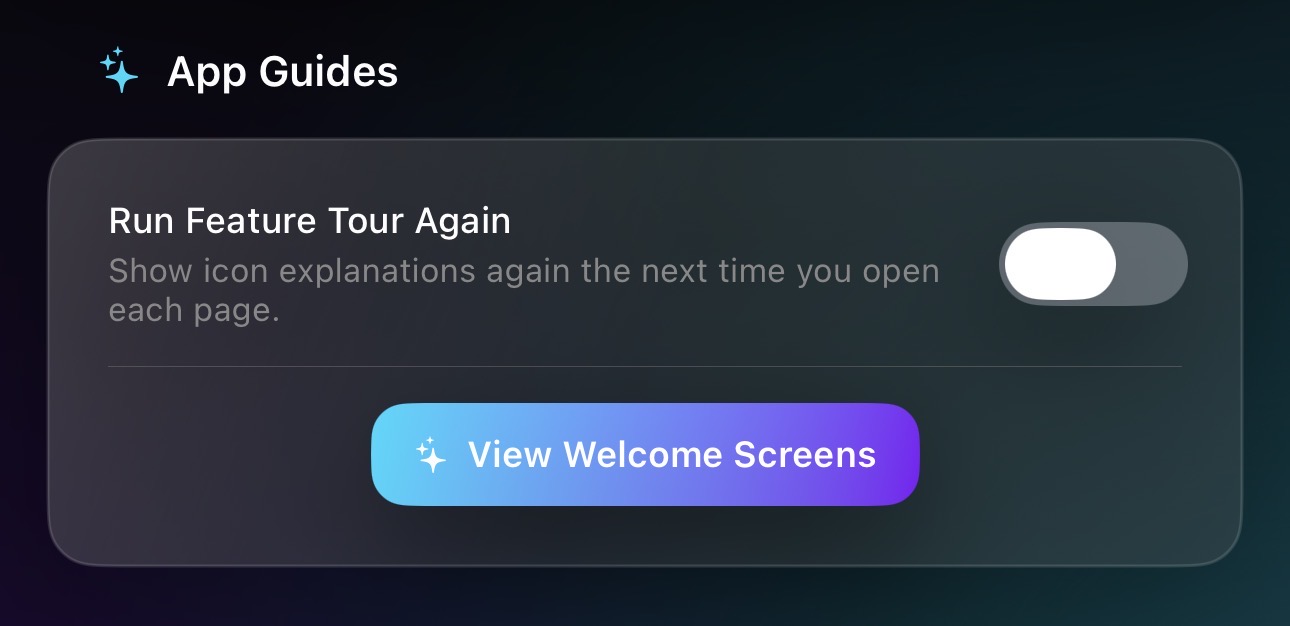
Once inside the Settings page, you will find the option to start the onboarding tour. Selecting it will begin guiding you through each hidden feature step by step. The process is designed to be simple and clear so you can focus on learning the structure of the app without feeling overwhelmed.
Reminders Tab
Time Blocking View
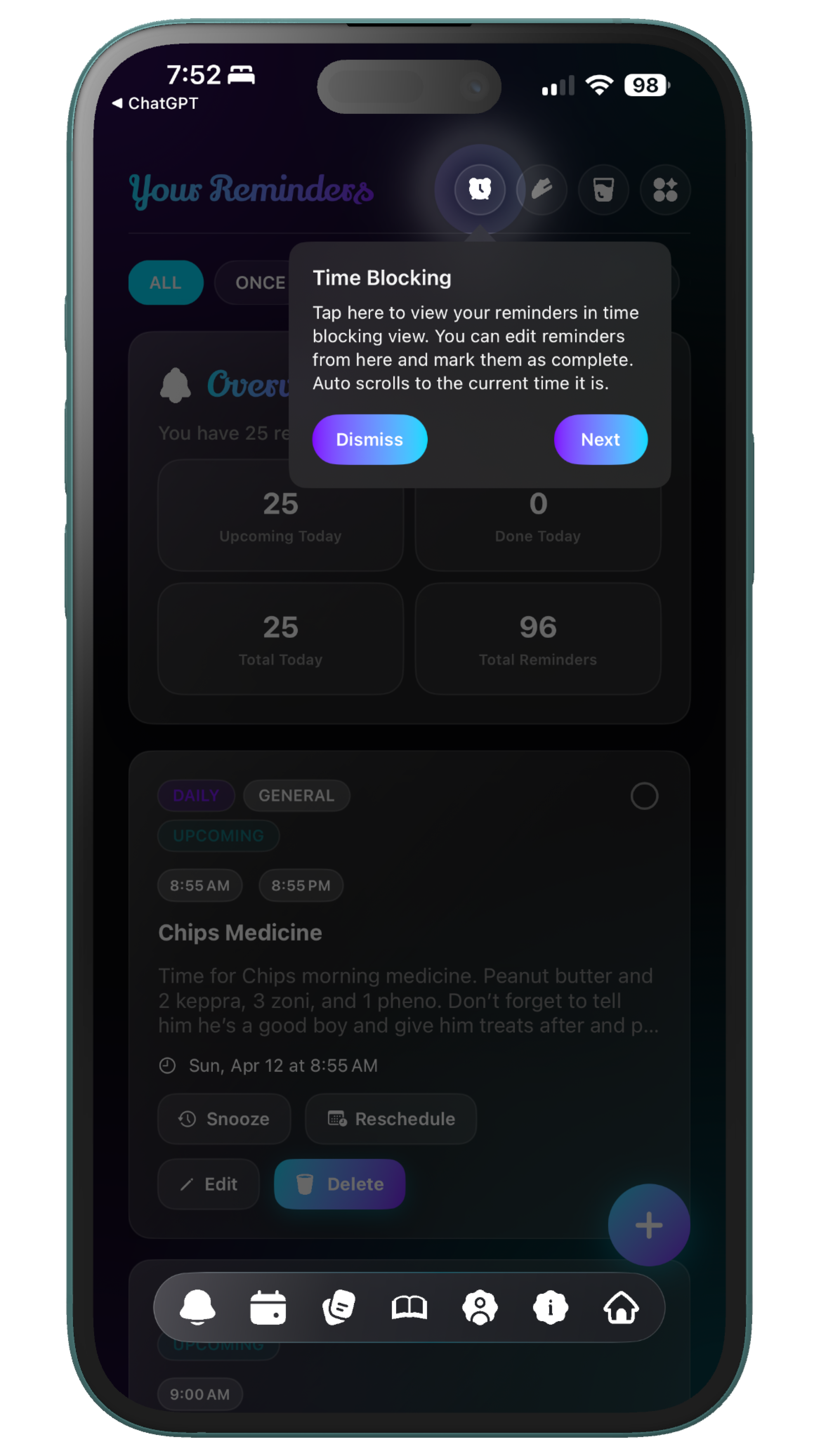
The Time Blocking View gives you a structured way to organize your day by assigning tasks to specific time periods. Instead of reacting to reminders as they appear, this view allows you to plan ahead and visualize how your time is being used. It helps shift your mindset from managing tasks to intentionally shaping your schedule. The onboarding tour highlights this view so you understand that reminders are not limited to simple alerts. You can use them as part of a larger system that supports focus and direction throughout your day. This makes it easier to stay aligned with your priorities instead of constantly switching between tasks.
Steps Tracker
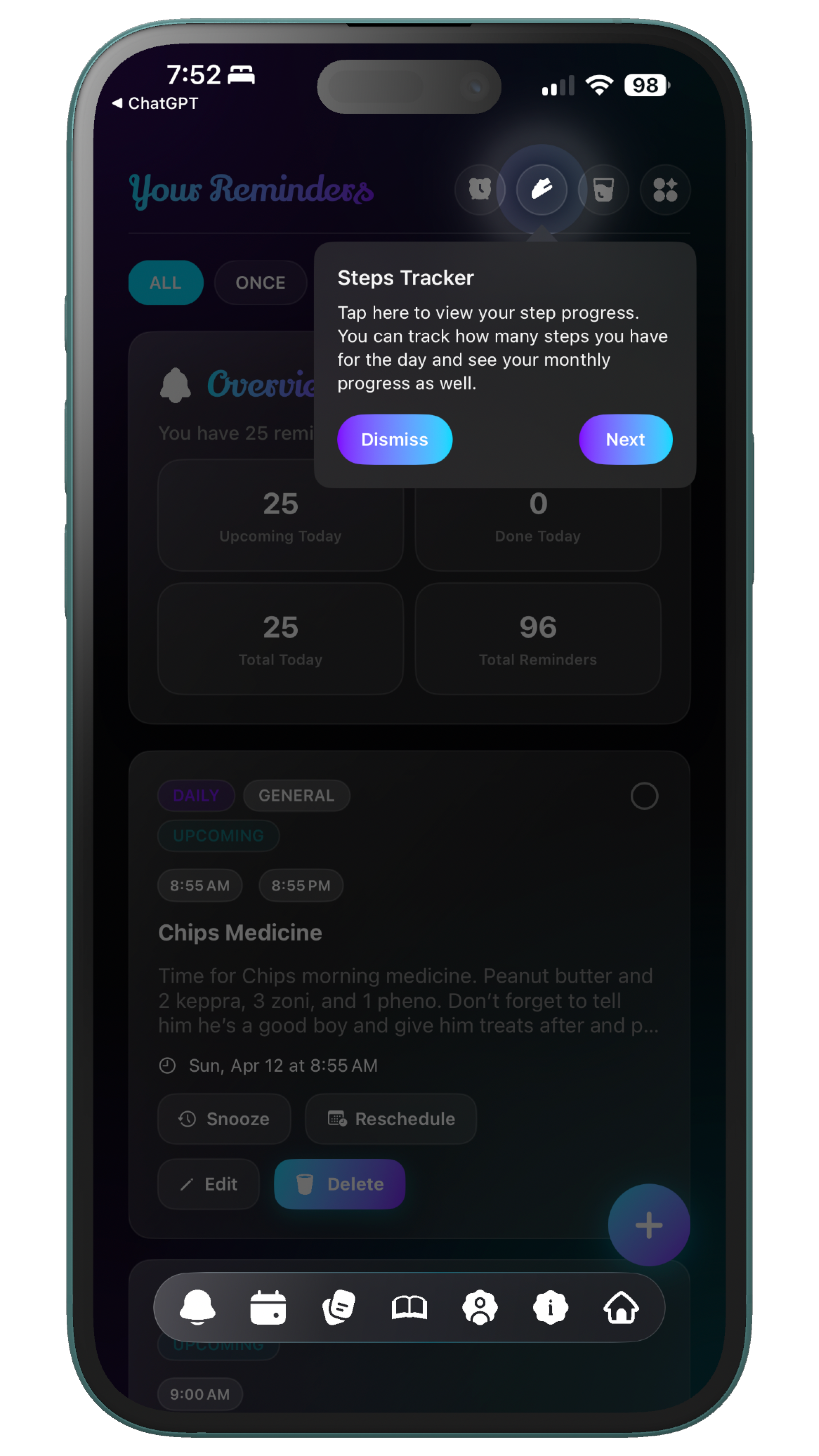
The Steps Tracker allows you to monitor your daily movement directly within Lystaria. It is placed in the header so it remains accessible without interrupting your main workflow. This design keeps it present but unobtrusive. The onboarding system brings attention to this feature so it becomes something you actively use rather than something hidden in the interface. Over time, it helps you stay aware of your physical activity and integrate movement into your daily routine more naturally.
Water Tracker
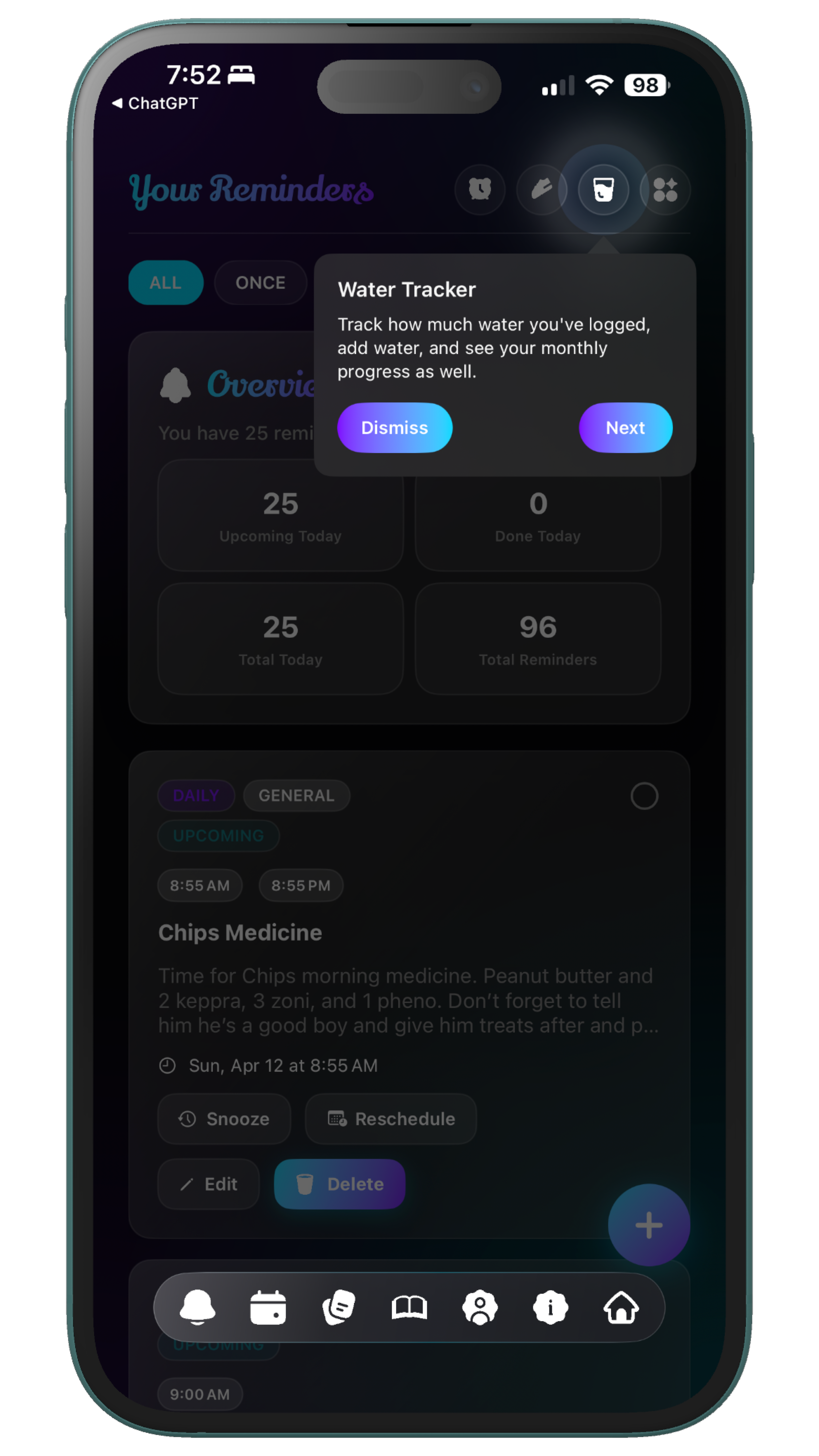
The Water Tracker helps you stay consistent with hydration by allowing you to log your intake throughout the day. Like the Steps Tracker, it is located in the header to keep it easily accessible while maintaining a clean interface. This makes it something you can check and update quickly. The onboarding tour highlights this feature so it becomes part of your daily rhythm instead of something you forget about. Over time, it supports healthier habits by making hydration visible and trackable without adding extra complexity.
Kanban View
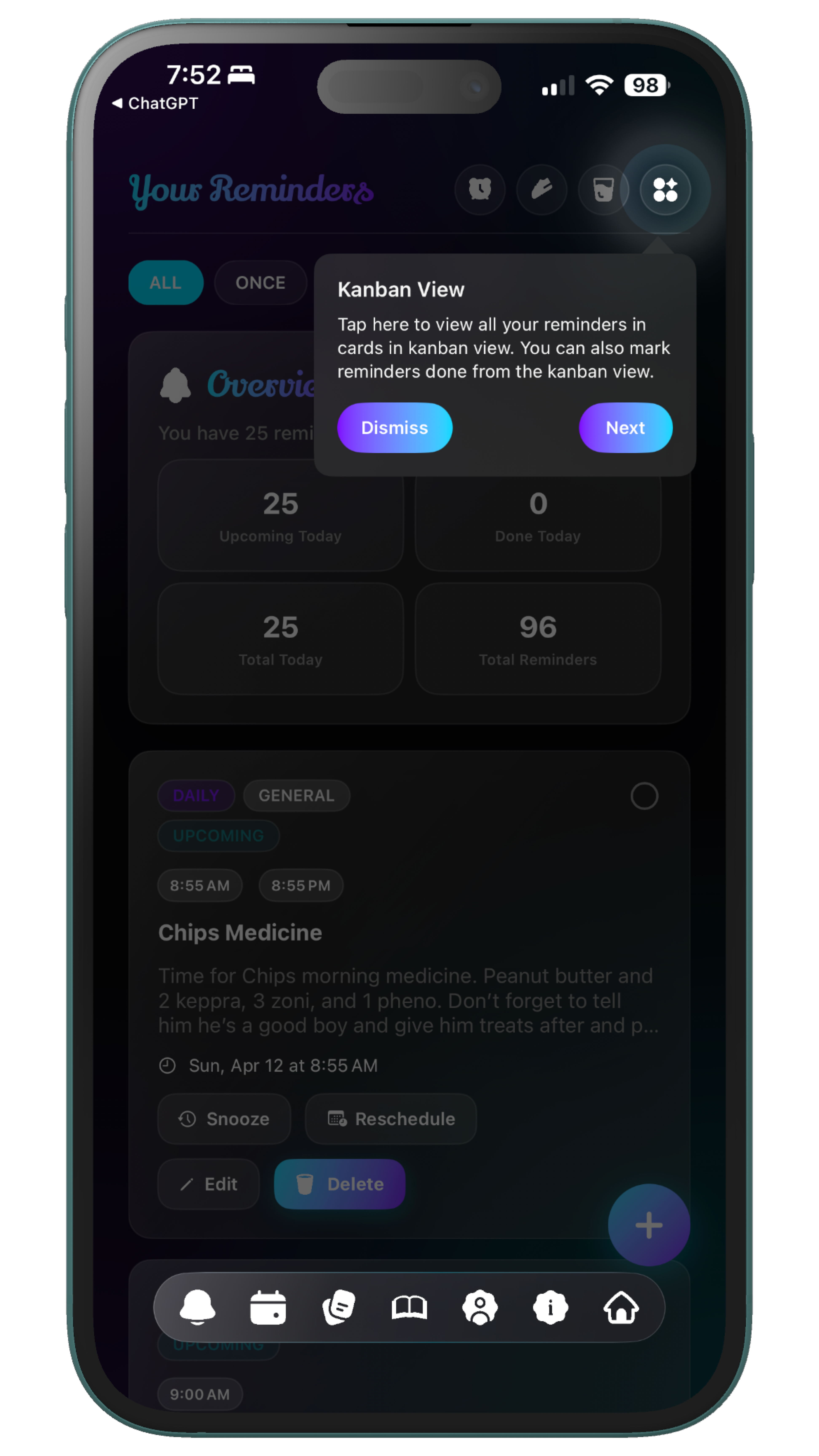
The Kanban View offers a more visual and flexible way to manage your reminders. Tasks are organized into columns, allowing you to see progress at a glance and move items as they evolve. This creates a sense of flow rather than a static list of responsibilities. The onboarding tour introduces this view so you understand that reminders can adapt to different ways of thinking. Whether you prefer structured scheduling or visual organization, this feature allows you to choose what works best for you.
Event Tab
Settings
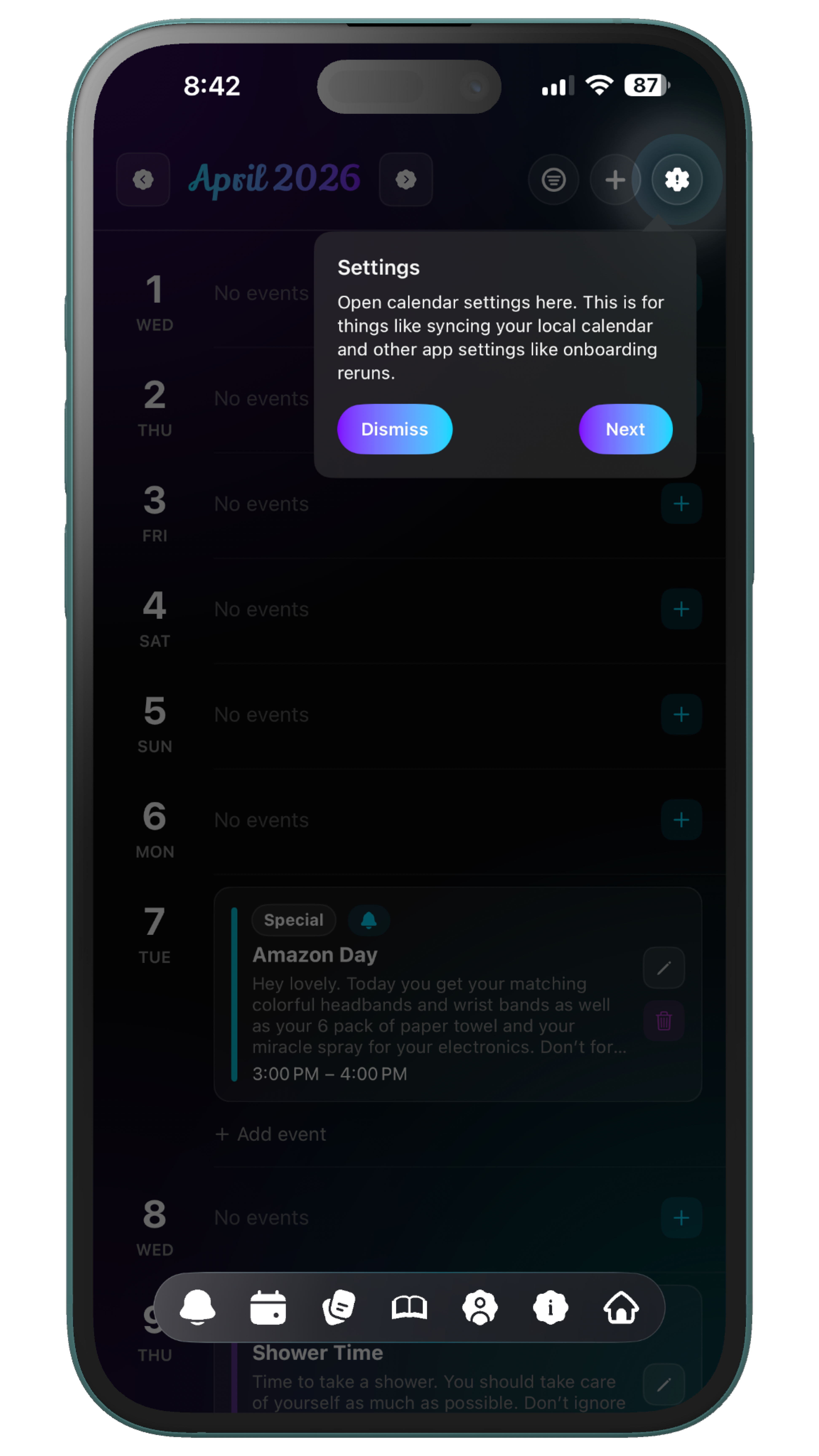
The Settings page is the central place where you can adjust how Lystaria works for you. It contains options that affect the app’s behavior and overall experience. Because of its importance, it is accessed through a header icon rather than being placed directly in the main interface. The onboarding tour highlights this location first so you always know where to return when you want to make changes. Understanding where Settings lives gives you more control over how the app fits into your life.
Journal Tab
Mood Logger
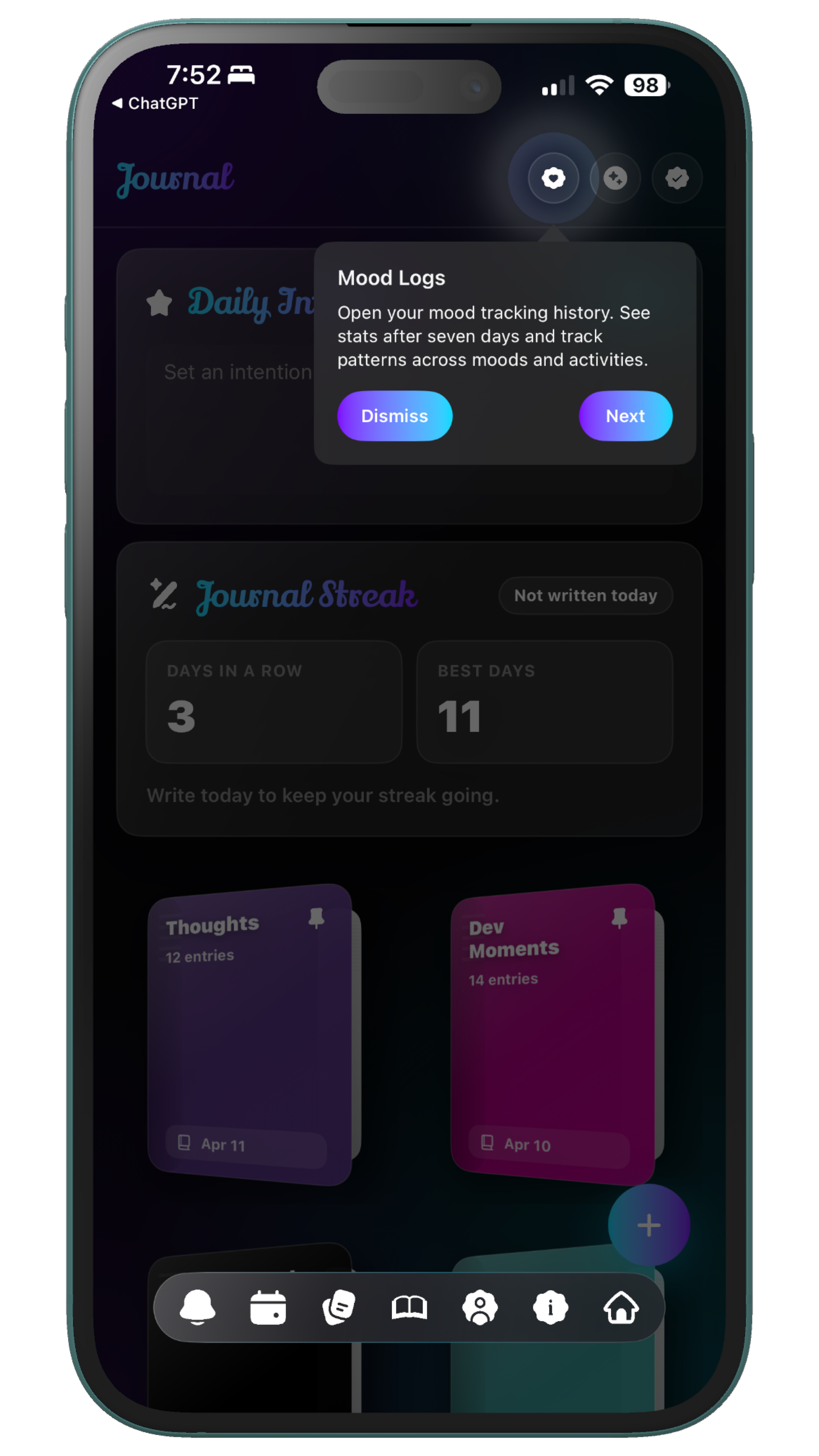
The Mood Logger allows you to track how you feel over time and build a clearer understanding of your emotional patterns. It is intentionally placed in the header so it feels like a personal tool rather than a primary task-based feature. This separation helps create a more reflective space. The onboarding tour brings attention to this feature so you can begin using it consistently. Over time, it becomes a powerful way to notice patterns, understand shifts in mood, and connect your emotional experiences to your daily life.
Habit Tracker
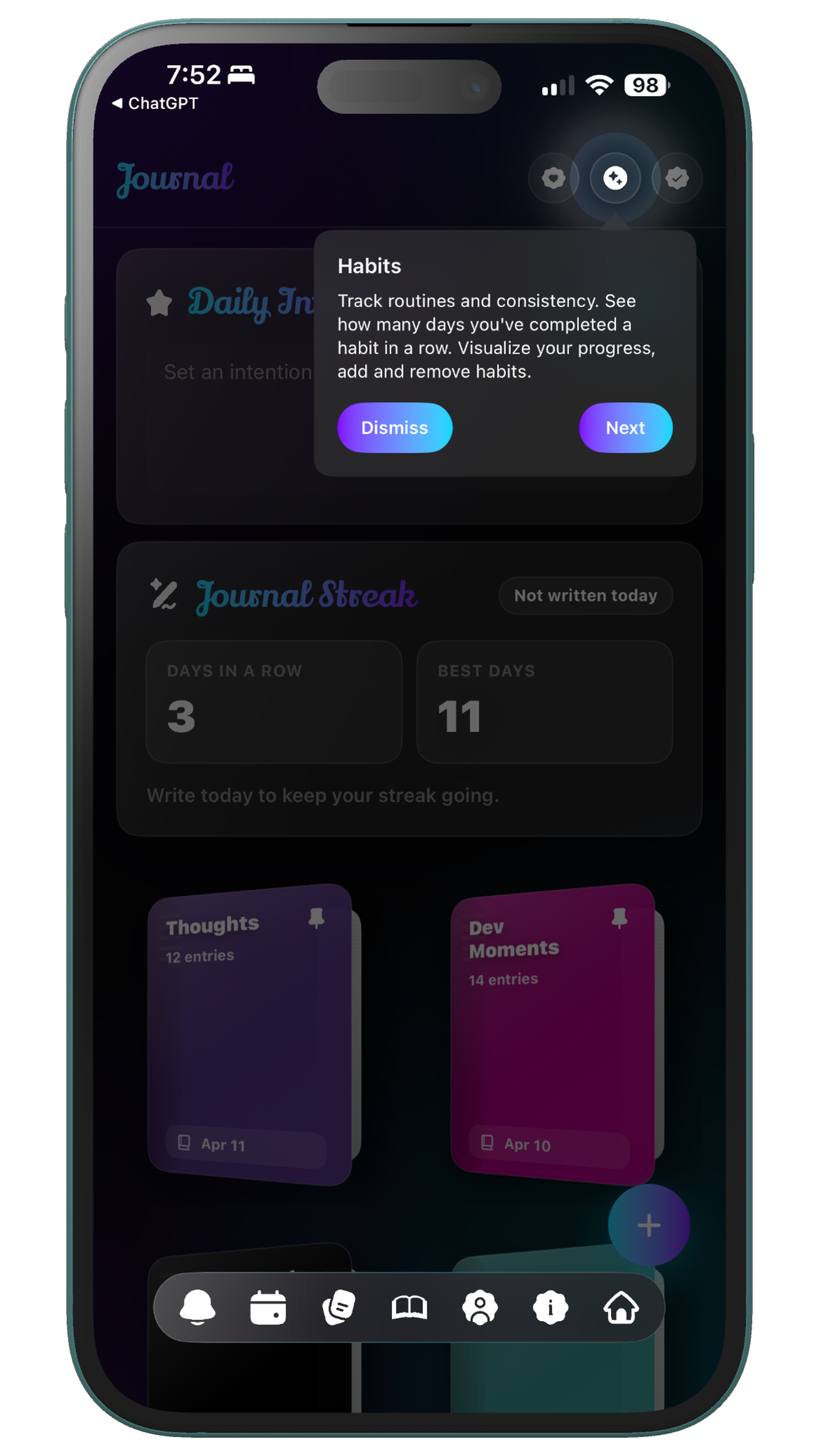
The Habit Tracker helps you build consistency in your routines over time. Unlike reminders, which focus on individual actions, habits focus on patterns and repetition. This allows you to develop systems that support long-term growth. The onboarding feature highlights this page so you understand how it fits into the larger structure of the app. It works alongside reminders and other tools to create a more complete approach to daily life.
Checklists
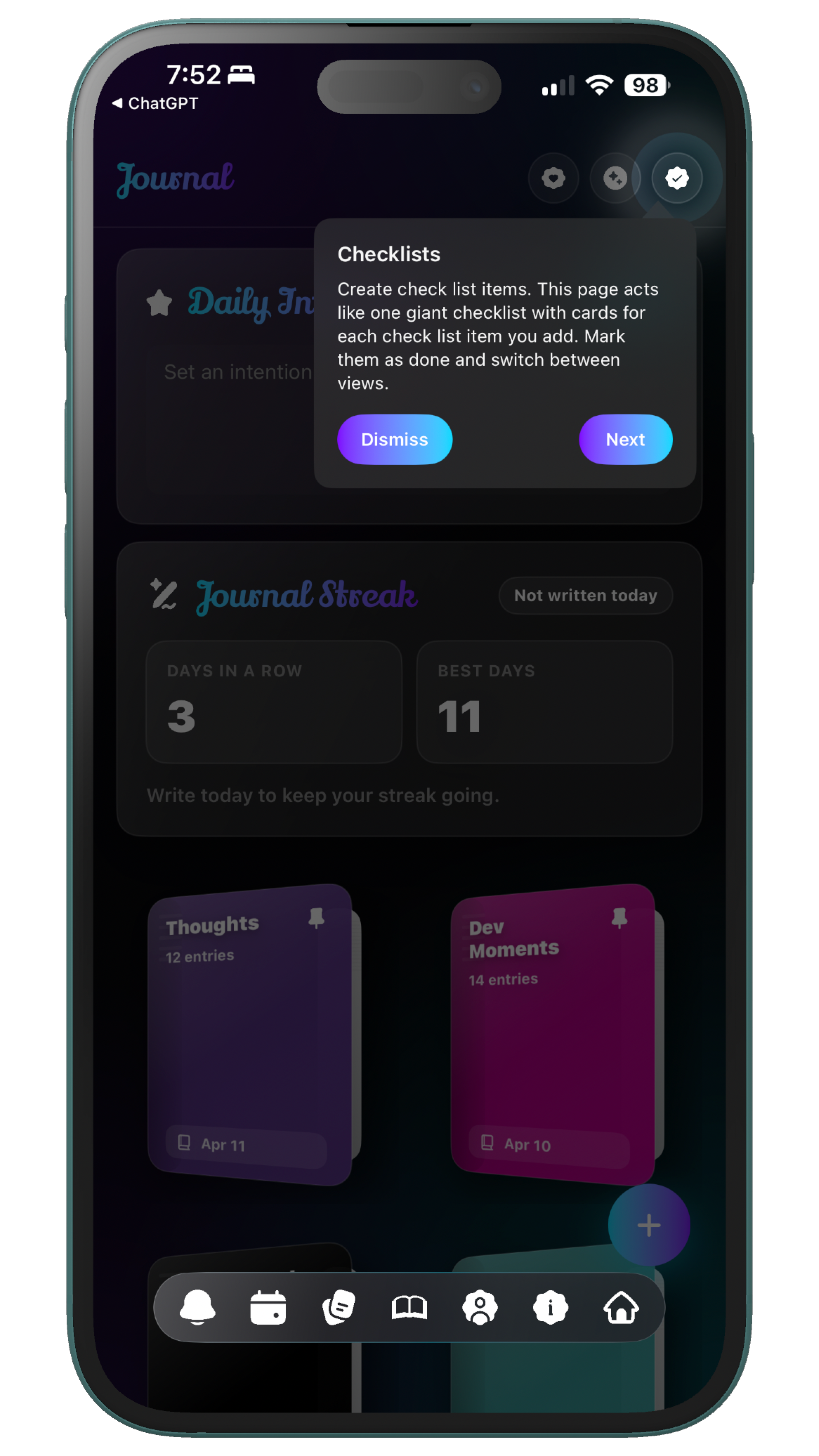
The Checklists feature gives you a simple and flexible way to break things down into smaller steps. It is less structured than habits and is not time-bound like reminders, making it useful for a wide range of situations. This makes it one of the most adaptable tools in the app. The onboarding tour highlights this feature so you know it is available whenever you need it. It helps you stay organized without adding unnecessary complexity to your workflow.
Reading Tab
Bookmarks
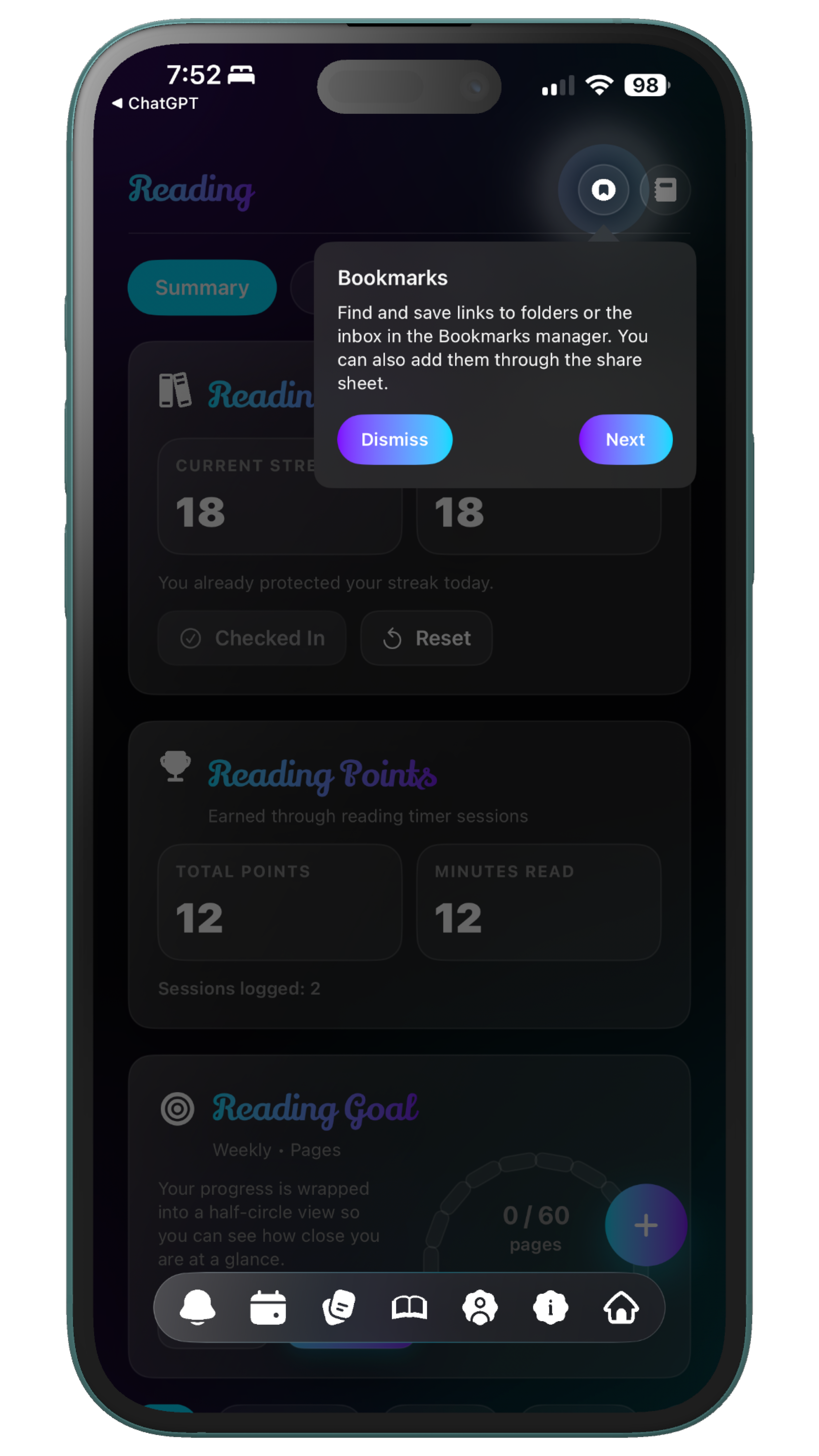
The Bookmarks feature allows you to save and organize links in one place. It gives you a dedicated space for articles, resources, and anything else you want to revisit later. This helps prevent useful information from getting lost. The onboarding tour introduces this feature so you can start building your own collection of resources over time. It becomes a personal library that grows with your interests and needs.
Sticky Notes
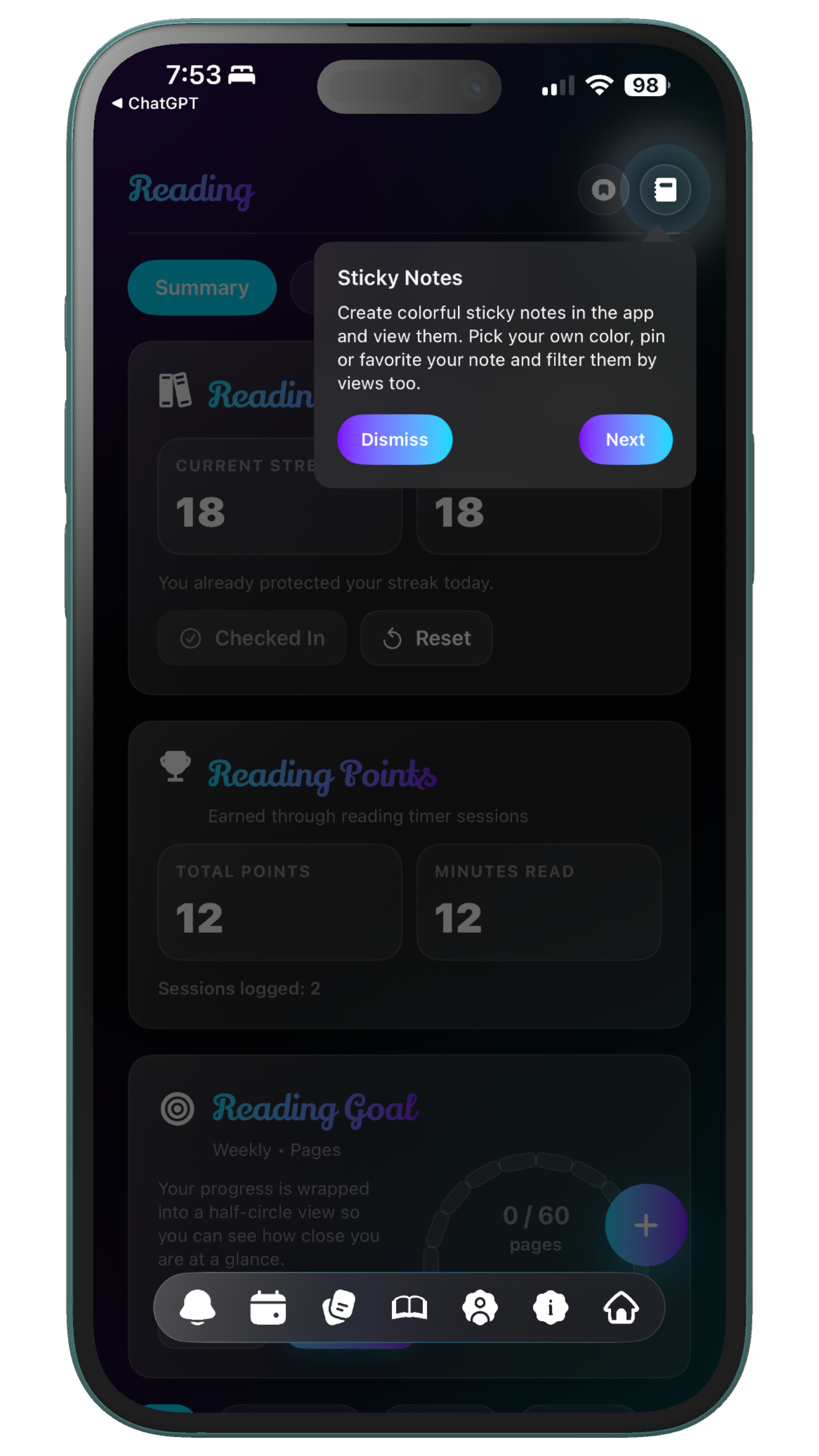
Sticky Notes provide a quick and lightweight space for thoughts, reminders, and fragments. Unlike journaling, this feature is designed for speed and simplicity. It allows you to capture ideas without interrupting your flow. The onboarding system highlights this so you always have a place to store things that do not need structure. Over time, it becomes a reliable tool for keeping small but important pieces of information close.
Dashboard Tab
Health Page
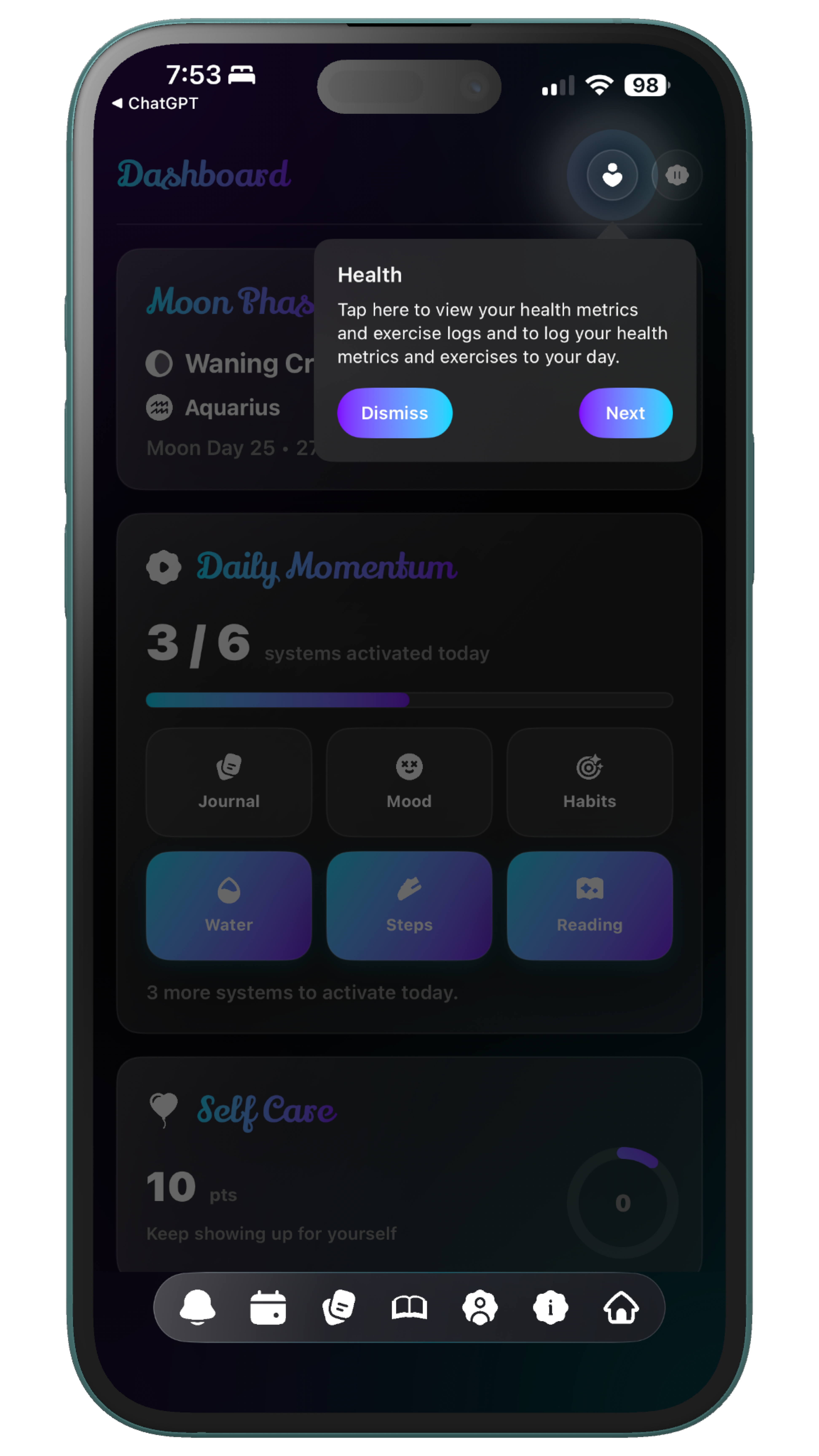
The Health Page brings together your physical data, including metrics and exercise tracking. It allows you to log and review important information in one place. This helps you see patterns and changes over time. The onboarding tour highlights this feature so you understand that Lystaria supports your well-being beyond productivity. It connects your physical health with your daily routines and overall lifestyle.
Toolbox
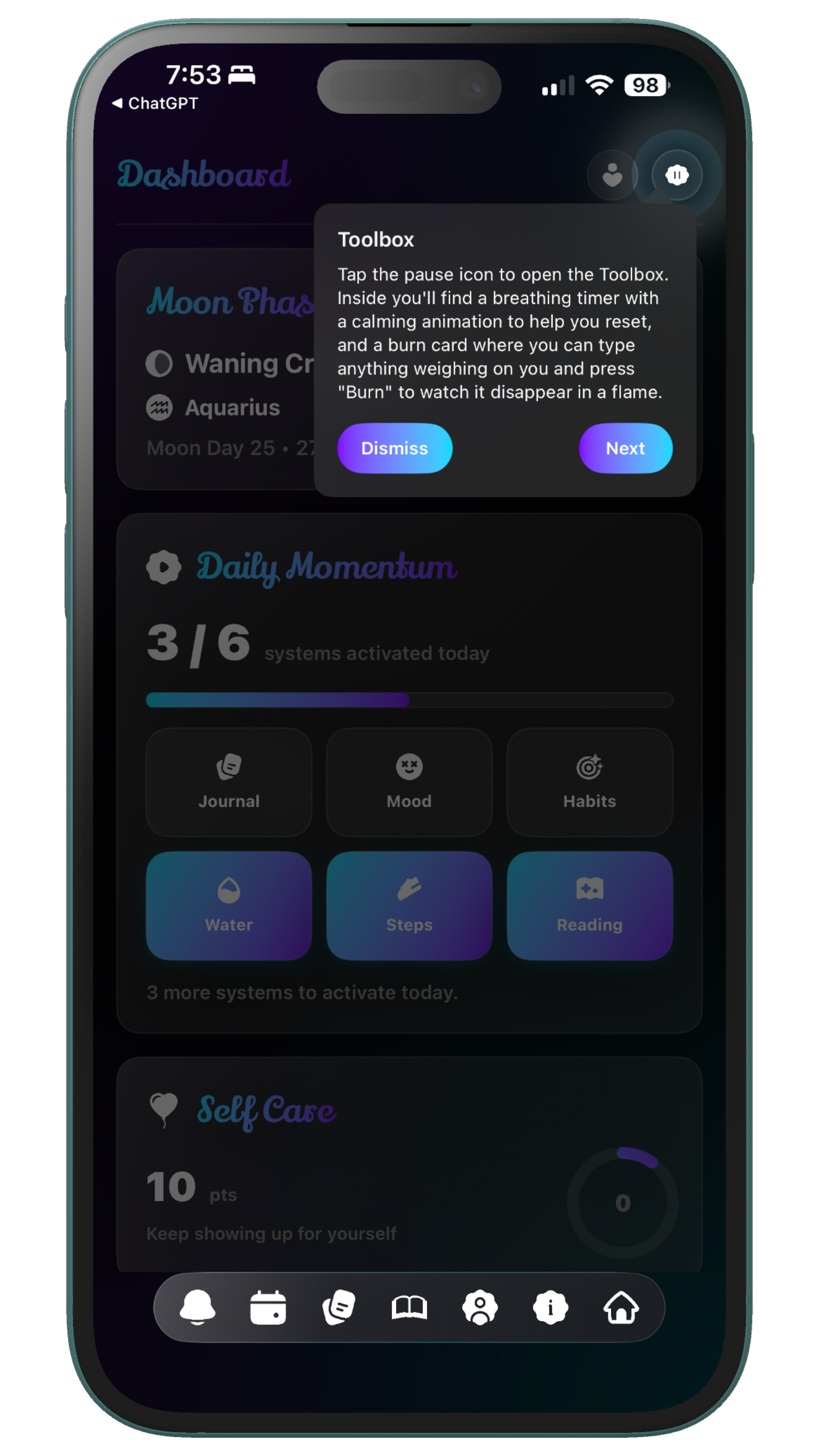
The Toolbox is designed to support your mental wellness in the moment. It contains tools that help with grounding, calming, and resetting when needed. This makes it a space you can return to during difficult or overwhelming moments. The onboarding system ensures you know where this feature is so it is available when you need it most. It adds an additional layer of support that goes beyond tracking and organization.
Health Page
Medications Manager
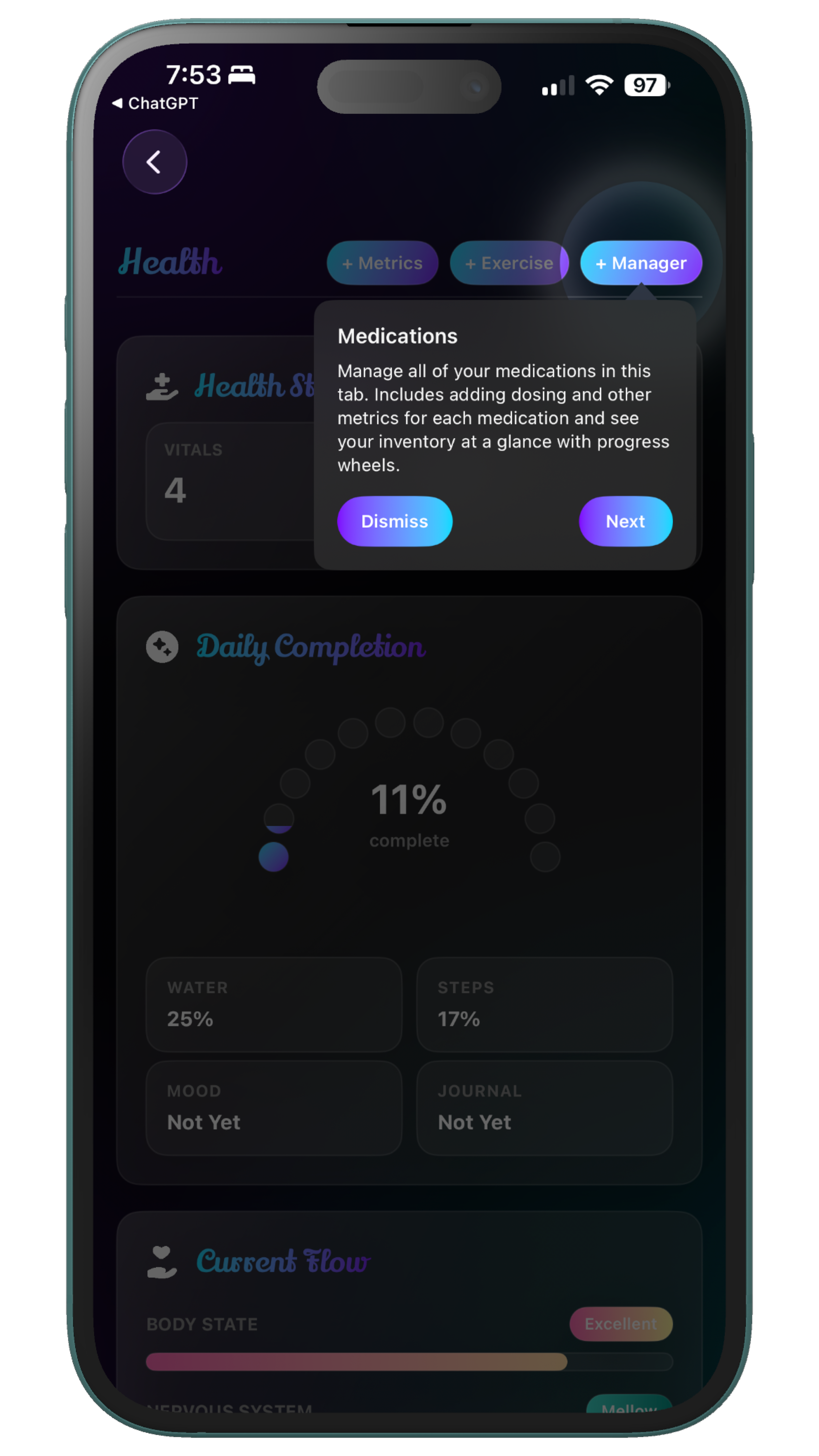
The Medications Manager helps you keep track of your medications in a structured and reliable way. It allows you to stay consistent with your routine and reduces the chance of forgetting important doses. This adds clarity to an area that often requires precision. The onboarding tour highlights this feature so you can easily integrate it into your daily life. It works alongside other health tools to create a more complete system.
Medications Manager
Symptoms Log & Tracker
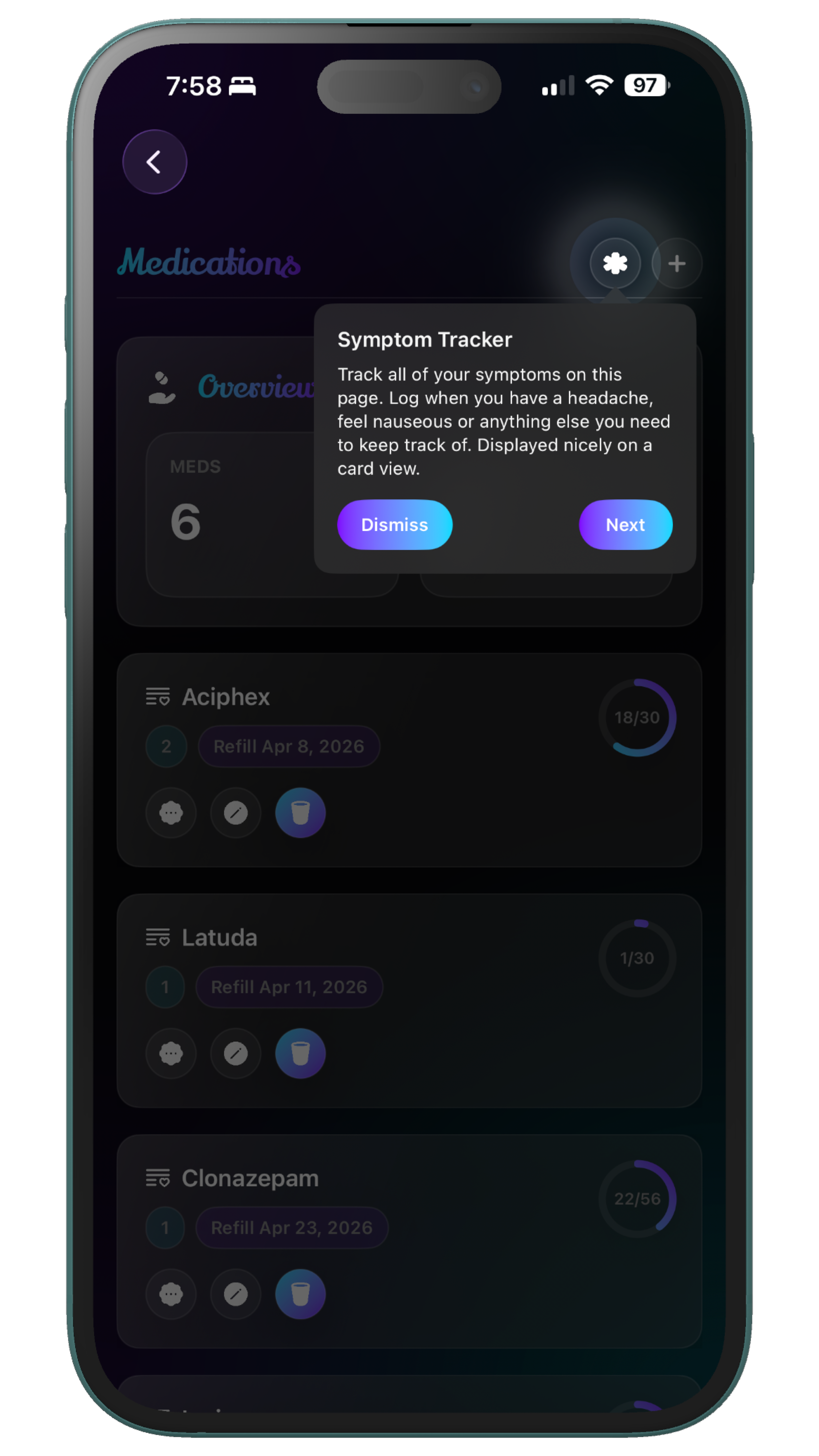
The Symptoms Log allows you to record what you are experiencing over time, whether physical or emotional. This helps you identify patterns, track changes, and build a more detailed understanding of your health. It becomes especially useful when looking back over longer periods. The onboarding system highlights this feature so it becomes part of your routine rather than something you forget to use. It completes the health tracking system by giving context to the data you record elsewhere.